RewritePal for iPhone & iPad
Install RewritePal on iPhone & iPad
Safari can place RewritePal on your Home Screen and open it like an app. You do not need to search the App Store.
If you opened RewritePal in another browser, reopen the page in Safari for the clearest path.
Get started
- 1
Open rewritepal.com in Safari
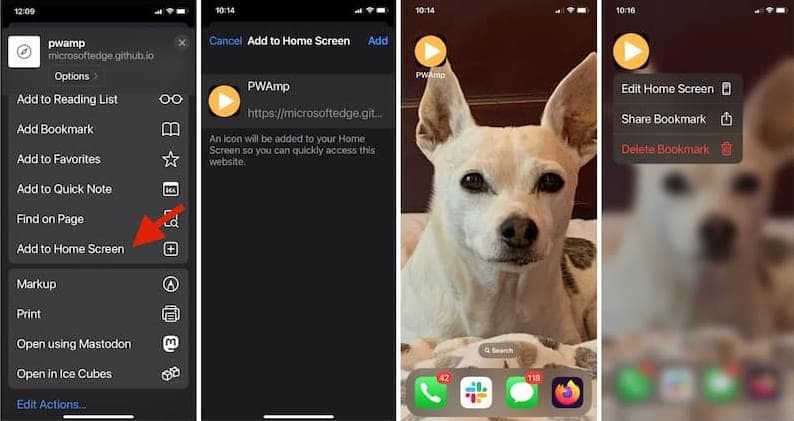
Tap More, then Share. Some Safari layouts show Share directly.
- 2
Choose Add to Home Screen
Scroll through the actions if the option is not immediately visible.
- 3
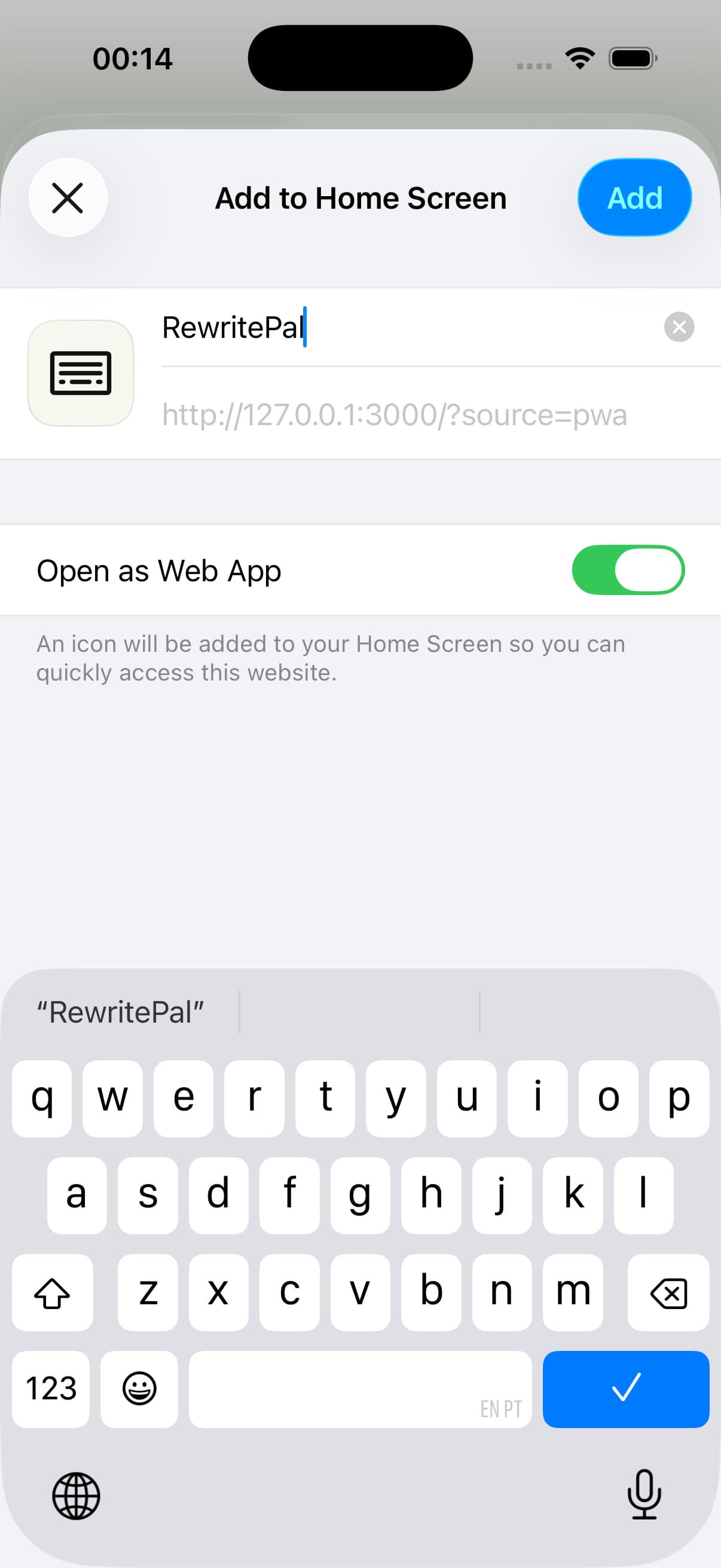
Turn on Open as Web App
Tap Add to place RewritePal on your Home Screen.
Help with iPhone & iPad installation
Do I need to download an iOS app?
Safari installs the RewritePal web app on your Home Screen. Open its icon to use the writing tools. It does not add a system keyboard or check text inside other iPhone apps.
I cannot see Add to Home Screen. What should I do?
Open rewritepal.com directly in Safari. Open More or Share and look through the available actions for Add to Home Screen. A browser opened inside another app may not show the same options.
How do I open my documents?
Launch RewritePal from its Home Screen icon and sign in with your existing account. Open the document editor to access documents saved to that account. Keep an internet connection available for AI actions.